What is CSS?
Cascading Style Sheets (CSS) is a style sheet language used to describe the presentation of a document.
The css of a website basically lets you style the site with background, different fonts, and colors for the site.
What the guys at bigcartel said about editing your stores CSS
We recommend using one of the many options out there for real-time styling of CSS. Tools like the Web Developer extension, TopStyle, Style Master, and CSS Edit, will allow you to extract the theme’s stylesheet, save it to your computer, then customize it while previewing the changes on your live store.
I’ve heard them recommend CSS Edit as their favorite. It only runs on a mac and sadly I still run the one the same PC.
What CSS Edit has to say about their product
You can edit style sheets for absolutely any site, on- or offline. Thanks to our innovative Override technology, you can even apply your open style sheets to any site and see it change instantly!
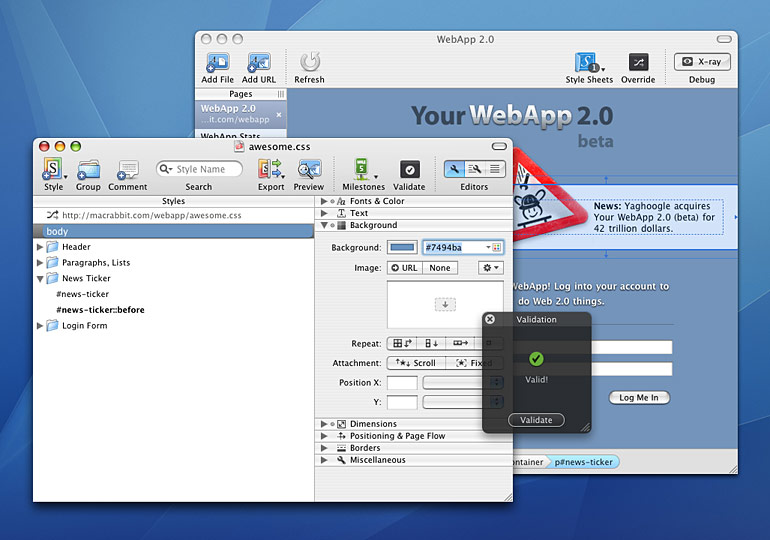
What I use to edit CSS
In the beginning I was editing the CSS in Dreamweaver and kept on copying and pasting the code into bigcartel. I would just guess and check until everything worked out. This is not very time effective at all and took me hours to perfect my first bigcartel theme.
What I have been using recently is a combination of Web developer and another add-on called Firebug. Both of them allow you to edit your CSS and look at the changes live in your browser. These two plugins have saved me a ton of time and I can’t say enough about them.
Features of the Web developer extension
The Web developer extension can edit your css in the browser but for some reason it doesn’t work right on the new blocks theme of bigcartel. I use it a lot for the css on wordpress and it is awesome.
Webdeveloper also has a very handy tools in the tool bar.
In the tool bar
Click on Information
> Display Id and Class Details
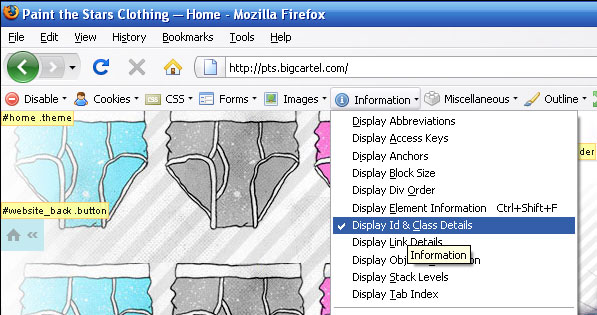
It comes up with what everything is called so it’s a lot easier to know what to look for in the CSS code.
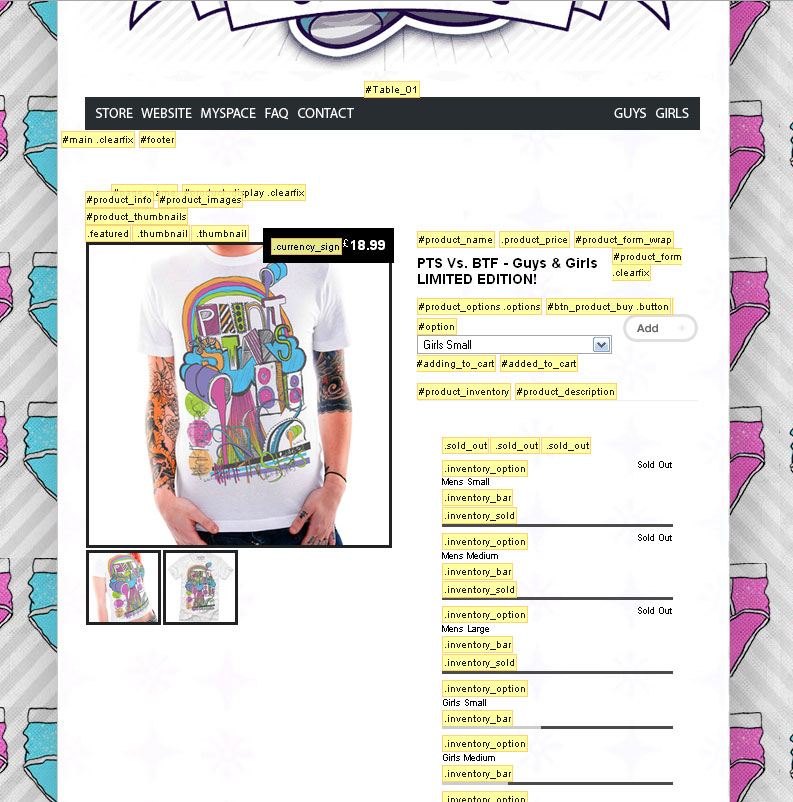
Firebug
Once you’ve installed firebug you can access it at the bottom right corner of your browser.

This is what it looks like.You can also detach it from your browser by clicking the up arrow at the right. I circle it in the picture.

Now you can start editing your CSS. Use the information that you got with the Web developer extension with the search feature in Firebug to find what you want to change in the CSS.
Another thing that I should mention is that in the regular mode you can’t edit very much, mainly just the colors. If you click on the edit button in the upper left of the program you can make any changes you want.
That’s the introduction. I’ll write some more info about editing the html pages and some more advanced stuff.
Here’s a link to a recent bigcartel store I did
Paint the Stars.
Need an E-Commerce Website?
 Shopify is perfect for beginners and experts. You don't need to have any technical or design experience to easily create a beautiful online store with your branding. Choose from tons of well designed e-commerce templates that look great on desktops, phones, and tablets. Easily customize, create pages, add products, and you're pretty much ready to accept payments. Plans come with a free no risk 30 day trial period.
Check out our in depth review of Shopify here and see why Shopify is our number 1 recommended shop for clothing companies.
Shopify is perfect for beginners and experts. You don't need to have any technical or design experience to easily create a beautiful online store with your branding. Choose from tons of well designed e-commerce templates that look great on desktops, phones, and tablets. Easily customize, create pages, add products, and you're pretty much ready to accept payments. Plans come with a free no risk 30 day trial period.
Check out our in depth review of Shopify here and see why Shopify is our number 1 recommended shop for clothing companies.