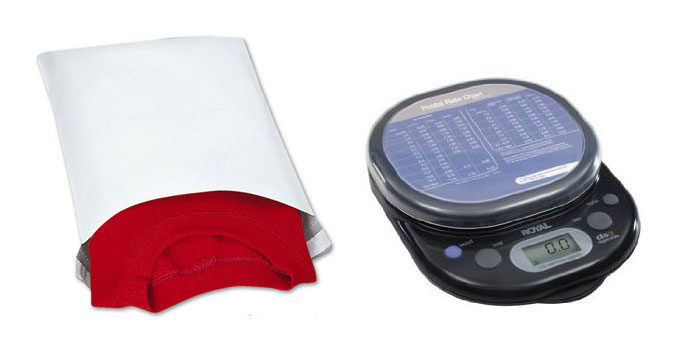
- The first thing you need is envelopes to package your shirts it. I’ve been using uline poly mailers and they are light weight and durable. I got the 9 x 12 size and that’s the perfect size for shirts.
- You’re also going to need a scale. I got a cheap one at Costco for $20 and it does the job.
- The last thing you’re going to need is packaging tape or sticker paper so the printed label adheres to the package.
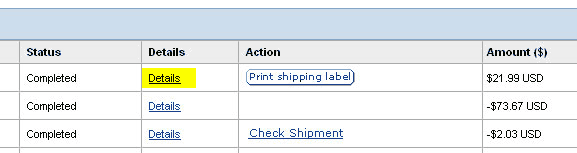
Sign into paypal and click on “details” to view one of your orders. One thing to note is that everything that has a “print shipping label” icon next to it is something that needs to be shipped.
On the next page write down the person’s name on the front of the envelope and place their order inside. I write the name on the front to make sure I use the right label if I’m mailing out multiple items that day. Seal the package.

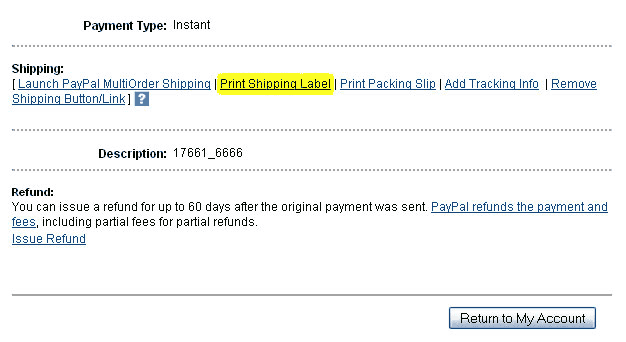
Click on print Shipping label at the bottom of the page.
I always use First Class Mail when I’m shipping inside the US. It is the cheapest and only takes 2-5 days. One of the limitations for Fist Class is that the package cannot be over 13 ounces. In those instances when it goes over I use Priority Mail. For Package size I always chose Large Package. Weigh your item and round up to the nearest whole number. If it’s 7.1 ounces round it up to 8. I don’t do signature confirmation or insurance. It adds up every time you use it and in the long run it’s cheaper not to spend the money on insurance. Click continue on the bottom right
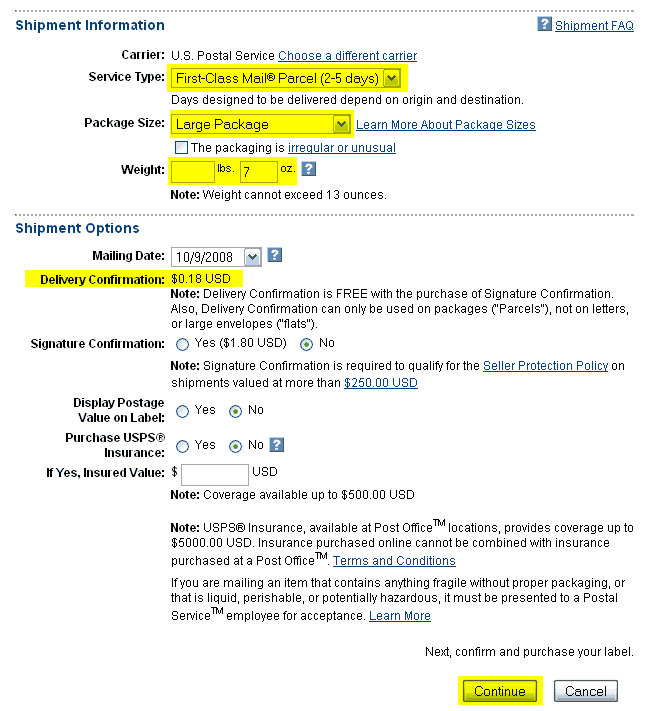
On the next screen make sure everything is right and press pay and continue. A pop up window will come up with the label so make sure your not blocking the popup windows.
Click Print Label.
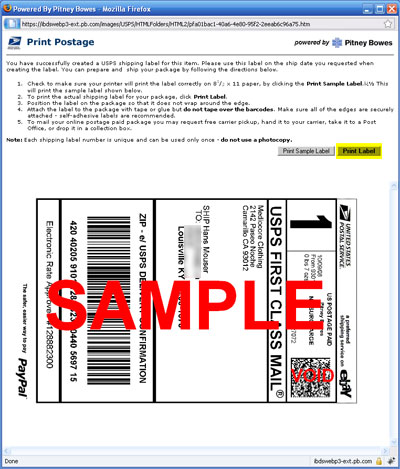
You can either use sticker paper to print your labels on or you can just cut them out and use packaging tape to adhere the label to the envelope When you use the packaging tape make sure you don’t go over the barcode. If you go over the barcode it can be scanned in.
For shipping out of the country and I pay for the shipping at USPS because they don’t allow you to use First Class Mail for international shipping. The other choices charge around double so it’s worth it to take it to the post office. I’ve heard that Endicia does First Class Mail online but they have a monthly charge.
The process I use for international orders is very similar. After I’ve clicked the details and got the package all set up I click on Print Packaging Slip at the bottom of the page. I print this page out and cut out the address and tape it onto the envelope. After I’ve printed the packaging slip I go back to the previous page and click on Remove Shipping Button/Link. This way I know that I’ve taken care of it and only the items with the Print Shipping Label button need to still be shipped.
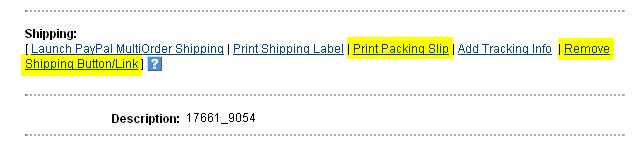
Paypal also has an option to do pay for multiple items at once but personally I think there are to many clicks and it isn’t put together well enough to bother using this method.
Need an E-Commerce Website?
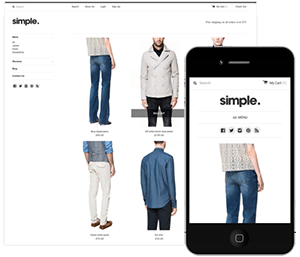 Shopify is perfect for beginners and experts. You don't need to have any technical or design experience to easily create a beautiful online store with your branding. Choose from tons of well designed e-commerce templates that look great on desktops, phones, and tablets. Easily customize, create pages, add products, and you're pretty much ready to accept payments. Plans come with a free no risk 30 day trial period.
Check out our in depth review of Shopify here and see why Shopify is our number 1 recommended shop for clothing companies.
Shopify is perfect for beginners and experts. You don't need to have any technical or design experience to easily create a beautiful online store with your branding. Choose from tons of well designed e-commerce templates that look great on desktops, phones, and tablets. Easily customize, create pages, add products, and you're pretty much ready to accept payments. Plans come with a free no risk 30 day trial period.
Check out our in depth review of Shopify here and see why Shopify is our number 1 recommended shop for clothing companies.